Elysia with Supabase. Your next backend at sonic speed
Supabase, an Open Source alternative to Firebase, has become one of the developers' favorite toolkits known for rapid development.
Featuring PostgreSQL, ready‑to‑use user authentication, serverless edge functions, cloud storage, and more.
Because Supabase already has pre‑built and composed solutions where you find yourself redoing the same feature for the 100th time into less than 10 lines of code.
For example, authentication, which would otherwise require you to rewrite a hundred lines of code for every project you did to just:
supabase.auth.signUp(body)

supabase.auth.signInWithPassword(body)
Then Supabase will handle the rest, confirming email by sending a confirmation link, or authentication with a magic link or OTP, securing your database with row‑level authentication, you name it.
Things that take many hours to redo in every project are now a matter of a minute to accomplish.
Elysia
If you haven't heard, Elysia is a Bun‑first web framework built with speed and developer experience in mind.
Elysia outperforms Express by nearly ~20x faster, while having almost the same syntax as Express and Fastify. (Performance may vary per machine, we recommended you run the benchmark on your machine before deciding the performance)[https://github.com/SaltyAom/bun-http-framework-benchmark]
Elysia has a very snappy developer experience. Not only that you can define a single source of truth for type, but also detects and warns when you accidentally create a change in data—all done in a declaratively small line of code.
Setting things up
You can use Supabase Cloud for a quick start. Supabase Cloud will handle setting up the database, scaling, and all things you need in the cloud in a single click.
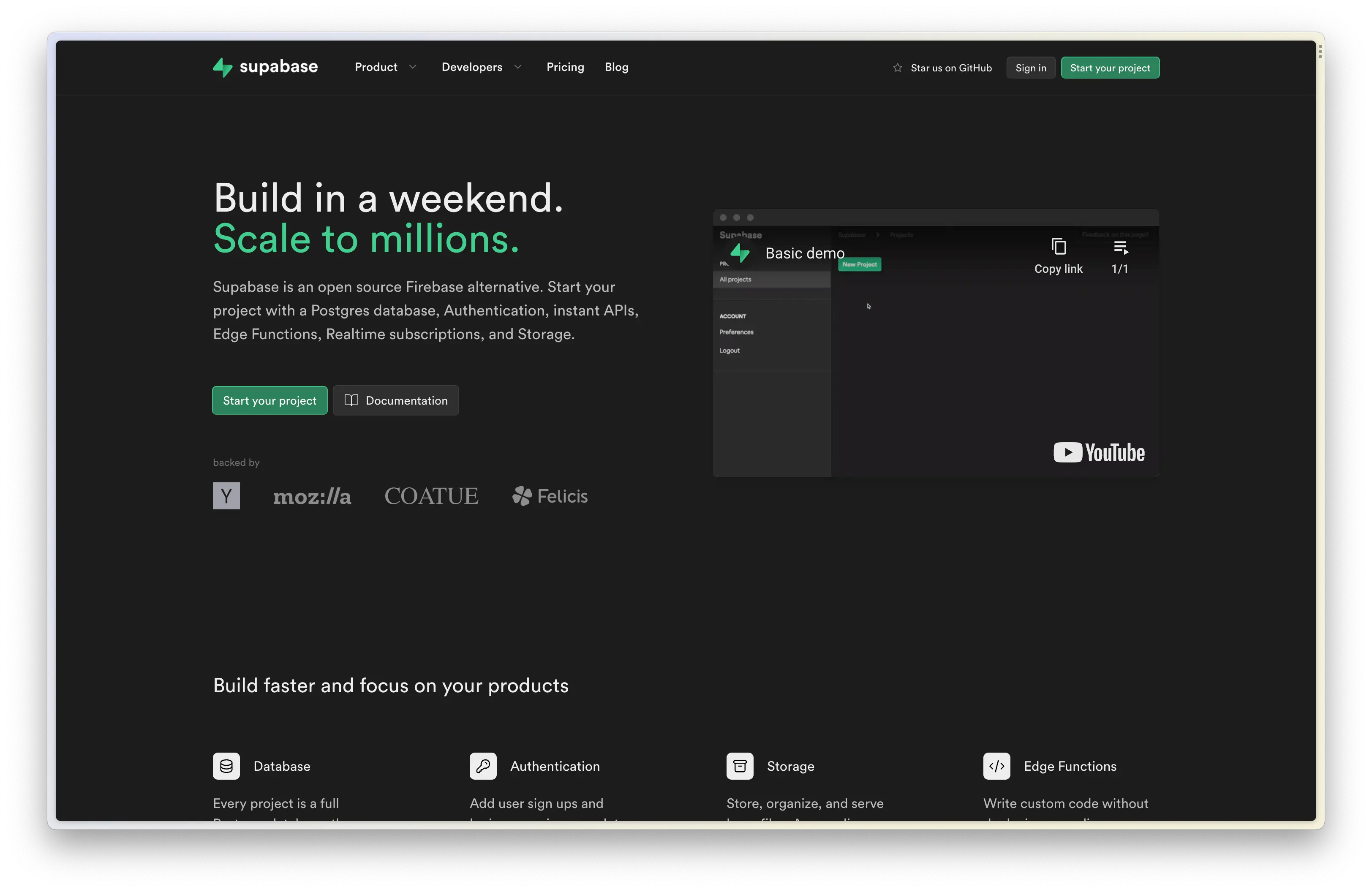
After creating a project, you should see something like this, fill all the requests you need, and if you're in Asia, Supabase has a server in Singapore and Tokyo
(Sometimes this is a tie‑breaker for developers living in Asia because of latency)
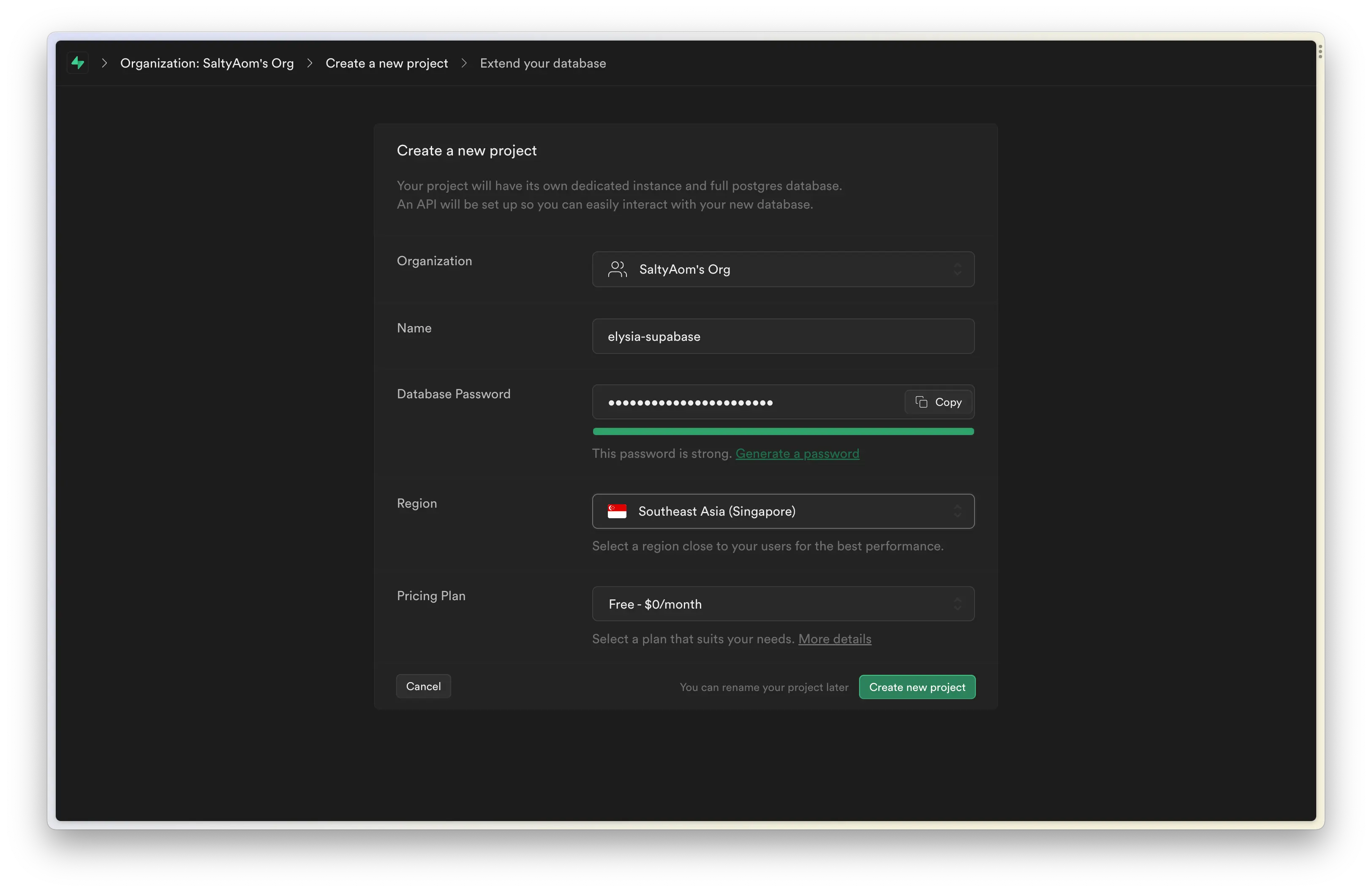
After creating a project, you should greet with a welcome screen where you can copy the project URL and service role.
Both are used to indicate which Supabase project you’re using in your project.
If you missed the welcome page, navigate to Settings > API, copy Project URL and Project API keys.
Now in your command line, you can start creating the Elysia project by running:
bun create elysia elysia-supabaseThe last argument is our folder name for Bun to create, feel free to change the name to anything you like.
Now, cd into our folder. As we are going to use a newer feature in Elysia 0.3 (RC), we need to install the Elysia RC channel first, and let’s grab a cookie plugin and Supabase client that we are going to use later here too.
bun add elysia@rc @elysiajs/cookie@rc @supabase/supabase-jsLet’s create a .env file to load our Supabase service role as a secret.
# .env
supabase_url=https://********************.supabase.co
supabase_service_role=****
You don’t have to install any plugin to load the env file as Bun loads .env files by default.
Now let’s open our project in our favorite IDE, and create a file inside src/libs/supabase.ts.
// src/libs/supabase.ts
import { createClient } from '@supabase/supabase-js'

const { supabase_url, supabase_service_role } = process.env

export const supabase = createClient(supabase_url!, supabase_service_role!)
And that’s it! That’s all you need to set up Supabase and an Elysia project.
Authentication
Let’s create authentication routes separated from the main file.
Inside src/modules/authen.ts, let’s create an outline for our routes first.
// src/modules/authen.ts
import { Elysia } from 'elysia'

const authen = (app: Elysia) =>
    app.group('/auth', (app) =>
        app
            .post('/sign-up', () => {
                return 'This route is expected to sign up a user'
            })
            .post('/sign-in', () => {
                return 'This route is expected to sign in a user'
            })
    )
And now, let’s apply Supabase to authenticate our user.
// src/modules/authen.ts
import { Elysia } from 'elysia'
import { supabase } from '../../libs'

const authen = (app: Elysia) =>
    app.group('/auth', (app) =>
        app
            .post('/sign-up', async ({ body }) => {
                const { data, error } = await supabase.auth.signUp(body)
                if (error) return error
                return data.user
            })
            .post('/sign-in', async ({ body }) => {
                const { data, error } = await supabase.auth.signInWithPassword(body)
                if (error) return error
                return data.user
            })
    )
And now we declare a schema in both sign‑in and sign‑up, Elysia is going to make sure that an incoming body is going to have the same form as we declare, preventing an invalid argument from passing into supabase.auth.
Elysia also understands the schema, so instead of declaring TypeScript’s type separately, Elysia types the body automatically as the schema you defined.
// src/modules/authen.ts
import { Elysia, t } from 'elysia'
import { supabase } from '../../libs'

const authen = (app: Elysia) =>
    app.group('/auth', (app) =>
        app
            .post(
                '/sign-up',
                async ({ body }) => {
                    const { data, error } = await supabase.auth.signUp(body)
                    if (error) return error
                    return data.user
                },
                {
                    schema: {
                        body: t.Object({
                            email: t.String({ format: 'email' }),
                            password: t.String({ minLength: 8 })
                        })
                    }
                }
            )
            .post(
                '/sign-in',
                async ({ body }) => {
                    const { data, error } = await supabase.auth.signInWithPassword(body)
                    if (error) return error
                    return data.user
                },
                {
                    schema: {
                        body: t.Object({
                            email: t.String({ format: 'email' }),
                            password: t.String({ minLength: 8 })
                        })
                    }
                }
            )
    )
The code we have are great, it did the job that we expected, but we can step it up a little bit further.
You see, both sign‑in and sign‑up accept the same shape of data, in the future, you might also find yourself duplicating a long schema in multiple routes.
We can fix that by telling Elysia to memorize our schema, then we can use by telling Elysia the name of the schema we want to use.
// src/modules/authen.ts
import { Elysia, t } from 'elysia'
import { supabase } from '../../libs'

const authen = (app: Elysia) =>
    app
        .setModel({
            sign: t.Object({
                email: t.String({ format: 'email' }),
                password: t.String({ minLength: 8 })
            })
        })
        .group('/auth', (app) =>
            app
                .post(
                    '/sign-up',
                    async ({ body }) => {
                        const { data, error } = await supabase.auth.signUp(body)
                        if (error) return error
                        return data.user
                    },
                    {
                        schema: {
                            body: 'sign'
                        }
                    }
                )
                .post(
                    '/sign-in',
                    async ({ body }) => {
                        const { data, error } = await supabase.auth.signInWithPassword(body)
                        if (error) return error
                        return data.user
                    },
                    {
                        schema: {
                            body: 'sign'
                        }
                    }
                )
        )
Great! We have just used name reference on our route!
TIP
If you found yourself with a long schema, you can declare them in a separate file and re‑use them in any Elysia route to put the focus back on business logic instead.
Storing user session
Great, now the last thing we need to do to complete the authentication system is to store the user session. After a user is signed in, the token is known as access_token and refresh_token in Supabase.
access_token is a short‑live JWT access token. Use to authenticate a user in a short amount of time. refresh_token is a one‑time‑used never‑expired token to renew access_token. So as long as we have this token, we can create a new access token to extend our user session.
We can store both values inside a cookie.
Some might not like the idea of storing the access token inside a cookie and might use Bearer instead. But for simplicity, we are going to use a cookie here.
TIP
We can set a cookie asHttpOnlyto prevent XSS,Secure,Same‑Site, and also encrypt a cookie to prevent a man‑in‑the‑middle attack.
// src/modules/authen.ts
import { Elysia, t } from 'elysia'
import { cookie } from '@elysiajs/cookie'
import { supabase } from '../../libs'

const authen = (app: Elysia) =>
    app
        .use(
            cookie({
                httpOnly: true,
                // If you need cookie to deliver via https only
                // secure: true,
                //
                // If you need a cookie to be available for same-site only
                // sameSite: "strict",
                //
                // If you want to encrypt a cookie
                // signed: true,
                // secret: process.env.COOKIE_SECRET,
            })
        )
        .setModel({
            sign: t.Object({
                email: t.String({ format: 'email' }),
                password: t.String({ minLength: 8 })
            })
        })
        // rest of the code
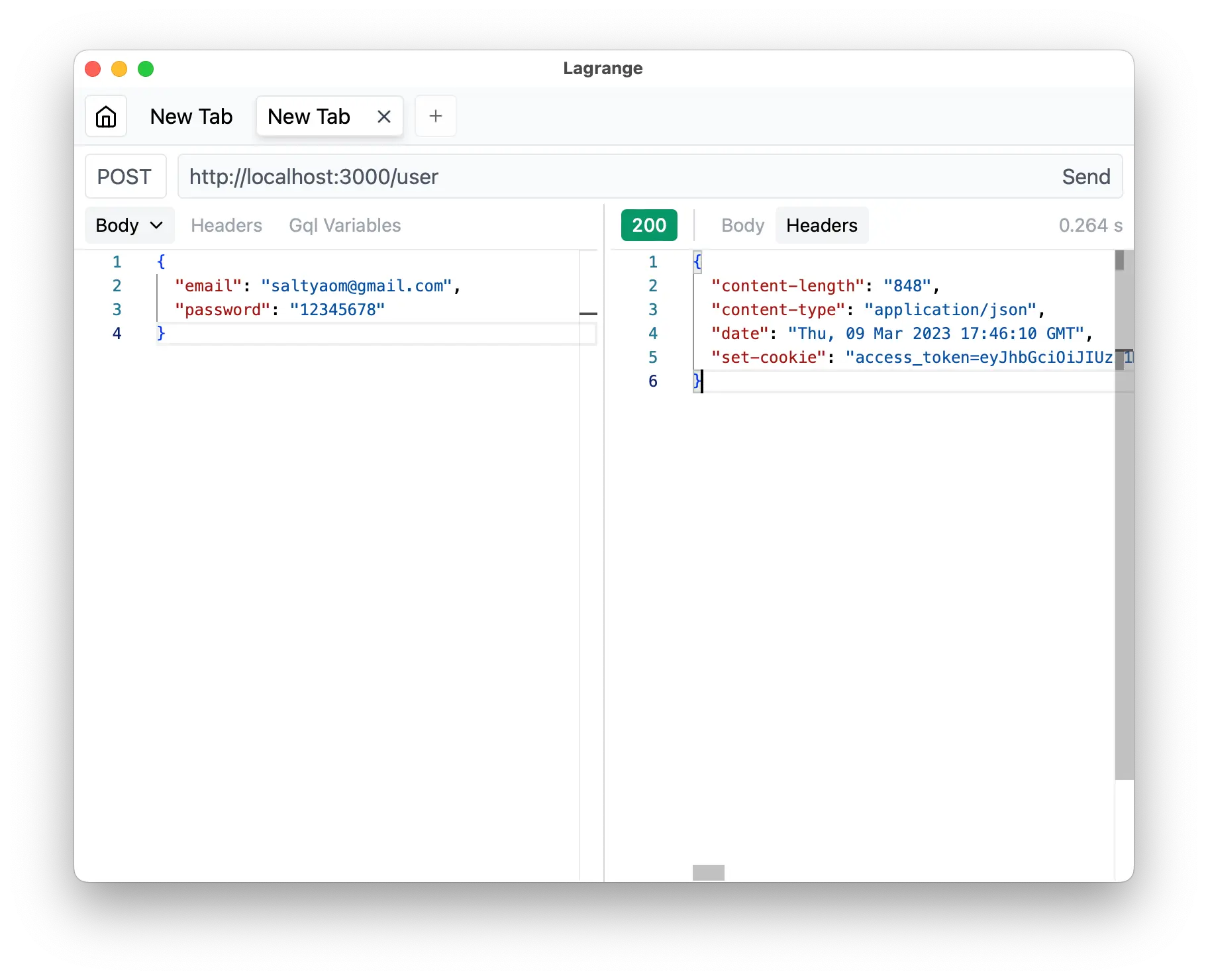
And—That’s all it takes to create a sign‑in and sign‑up route for Elysia and Supabase!
Refreshing a token
Now, as mentioned, access_token is short‑lived, and we might need to renew the token now and then. Luckily, we can do that with a one‑liner from Supabase.
// ... inside the same auth routes
const refresh = async () => {
    const { data, error } = await supabase.auth.refreshSession()
    // handle result
}
(Additional code and explanations would continue from the original page.)